Challenge
Enterprises had invested years building APIs - but when AI agents arrived, all of that investment was effectively stranded. Making a single API callable by an agent took days of manual work.
Strategy
Designed a two-part solution in sequence: AI Spec Boost to make APIs semantically rich enough for agents to understand, then a guided one-click flow to convert any API into a deployed MCP server.
Results
Collapsed a multi-day manual process down to a single guided session - making any registered API in Apigee discoverable by AI agents with automated governance.
Challenge
The engineering tax on AI adoption
Enterprises had invested years building APIs. They had hundreds of them, registered across Apigee, Cloud Run, and third-party gateways. But when AI agents arrived, all of that investment was effectively stranded.
To make an API callable by an AI agent, a developer had to manually write an MCP specification, configure an Apigee proxy, select and document individual operations, set the correct base URLs, and deploy the proxy to the right environment. For a single API, this took days. For a portfolio of hundreds, it was impractical.
The result: enterprises couldn't use their own data and services to power their AI agents without significant custom engineering work on every single API.
"I have 200 APIs registered in Hub. I shouldn't need a specialist team to make them available to my agents. There has to be a simpler path."
- Platform Owner, enterprise Apigee customer
"The spec descriptions are incomplete for agents to understand what the API actually does. We'd need to rewrite every one of them before they could be used by an AI system."
- API Developer, financial services enterprise
"I tried to configure an MCP server manually and gave up after two days. It requires Apigee expertise I just don't have."
- AI Developer, enterprise customer
Strategy
Collapsing complexity into a single, guided flow
The design approach had two parts that work in sequence:
-
01.
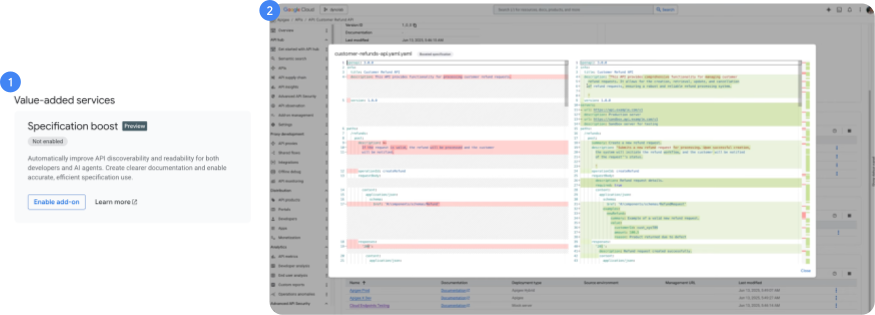
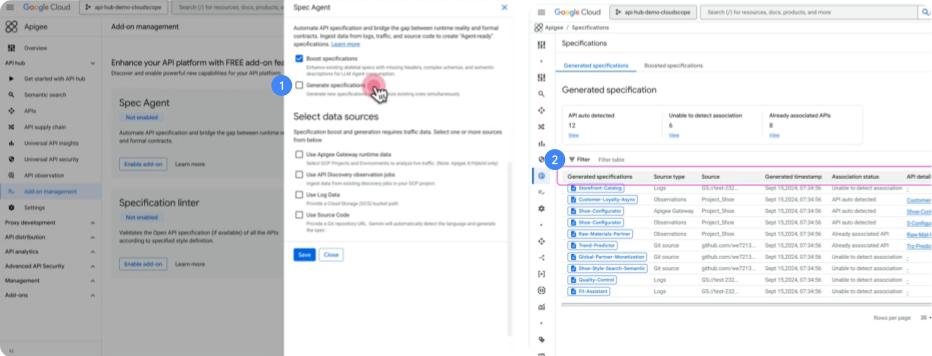
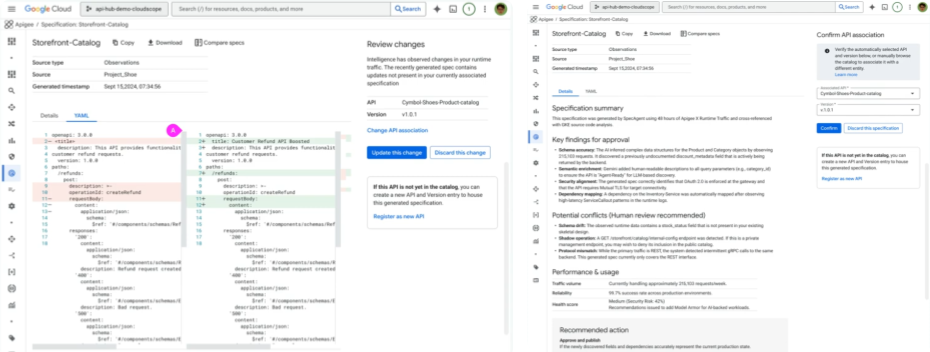
AI Spec Boost - Make the API semantically rich enough for agents to understand, without requiring developers to rewrite documentation manually.
-
02.
One-click MCP creation - A guided flow that converts the API into a deployed, Apigee-governed MCP server. Every design decision reduces the cognitive load on developers who shouldn't need to become Apigee experts.
Original spec
operationId: getUser
summary: "Get user"
description: ""
parameters:
- id: integer
→
Enriched spec (agent-ready)
operationId: getUser
summary: "Retrieve complete user profile by ID"
description: "Returns user account details including name, email, role, and last login. Use when an agent needs to look up a specific user's information or verify account status."
x-agent-examples: ["get user 12345", "find account for john@example.com"]
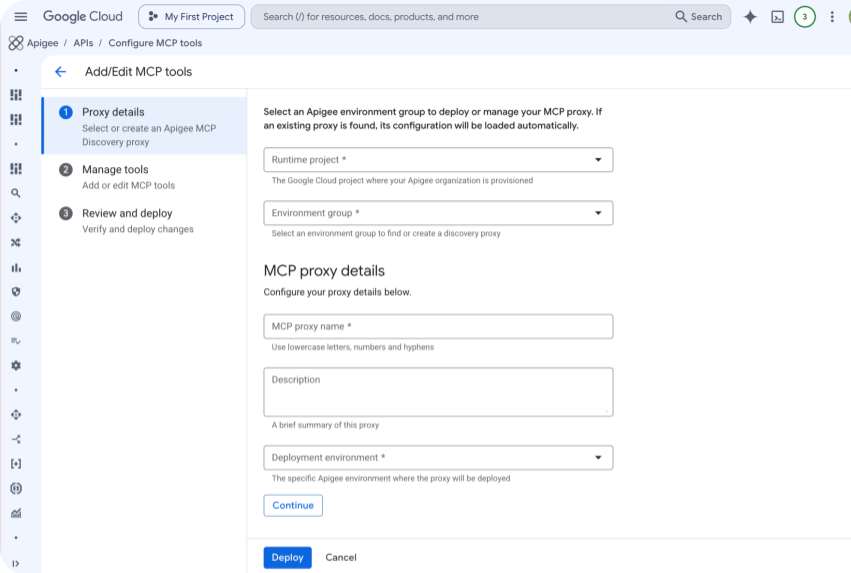
The 4-step guided MCP creation flow
A 4-step guided flow converts any registered API into a deployed, Apigee-governed MCP server. Every step eliminates a decision that previously required Apigee expertise.
1
Runtime
Choose Apigee project and environment
Select the Apigee project and environment group. System validates the selection - if an MCP server already exists for that environment group, the user is redirected to edit mode.
2
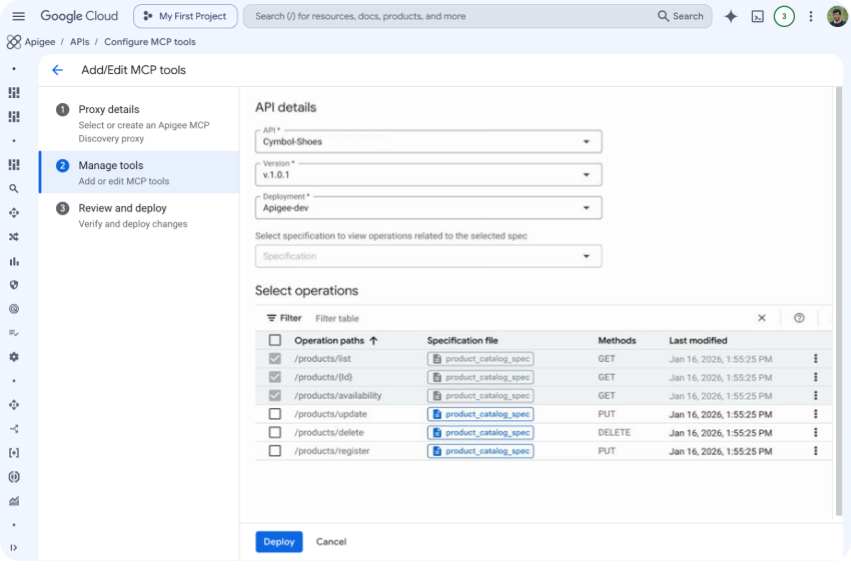
Operations
Select which API operations to expose as MCP tools
Operations are parsed automatically from the spec. Already-added tools are pre-selected. Users can select all or choose a subset - no manual documentation required.
3
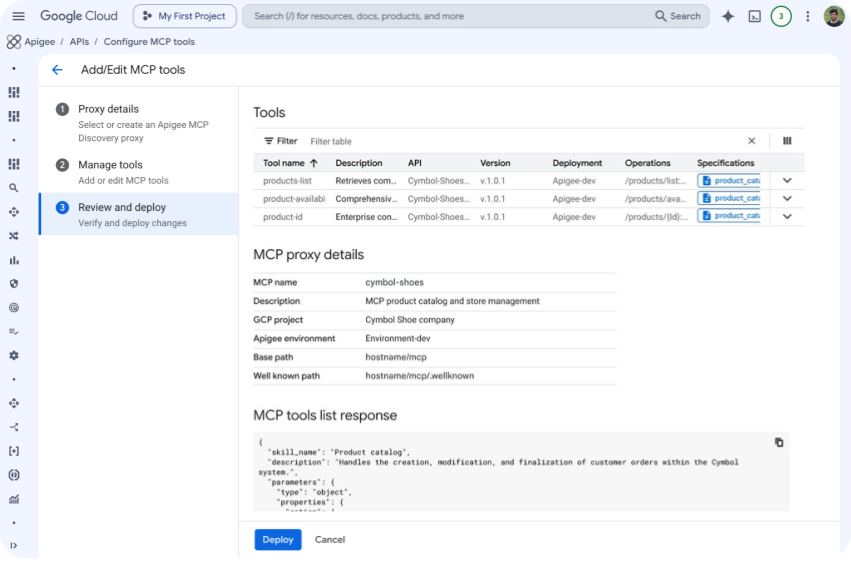
Review
Review the generated MCP specification
The system assembles a new spec from selected operations only. OperationIds become MCP tool names - shown for review and editing before deployment, so developers stay in control.
4
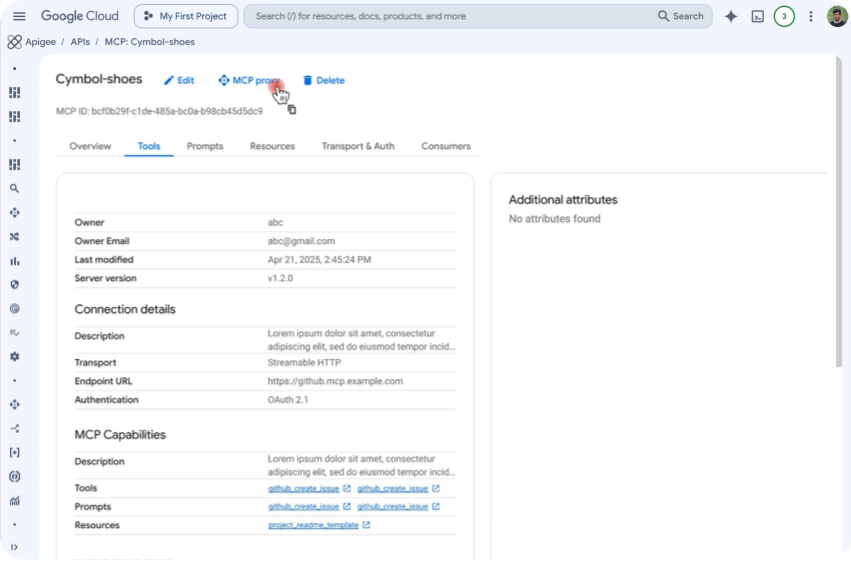
Deploy
MCP proxy created and deployed to Apigee X
Deep link to the created proxy for status tracking. API is now discoverable via semantic search and callable by AI agents - governance and security inherited automatically from Apigee.
Result
Days → Minutes
The multi-day manual process reduced to a single guided session, accessible to any developer regardless of Apigee expertise.
Before - Manual process
- Write MCP specification manually
- Configure Apigee proxy from scratch
- Document each operation for agent reasoning
- Set base URLs and environment variables
- Deploy to correct environment group
- Test agent discoverability manually
After - Guided flow
- Select API from Apigee API hub catalog
- AI Spec Boost enriches spec automatically
- Select operations to expose as tools
- Choose environment group & deploy
- MCP proxy created and live in Apigee
- Agent-discoverable via semantic search
Time saved
Days→Min
Multi-day manual process collapsed into a single guided session
Expertise required
Zero
Any developer can complete the flow - no Apigee expertise needed
Agentic AI vision
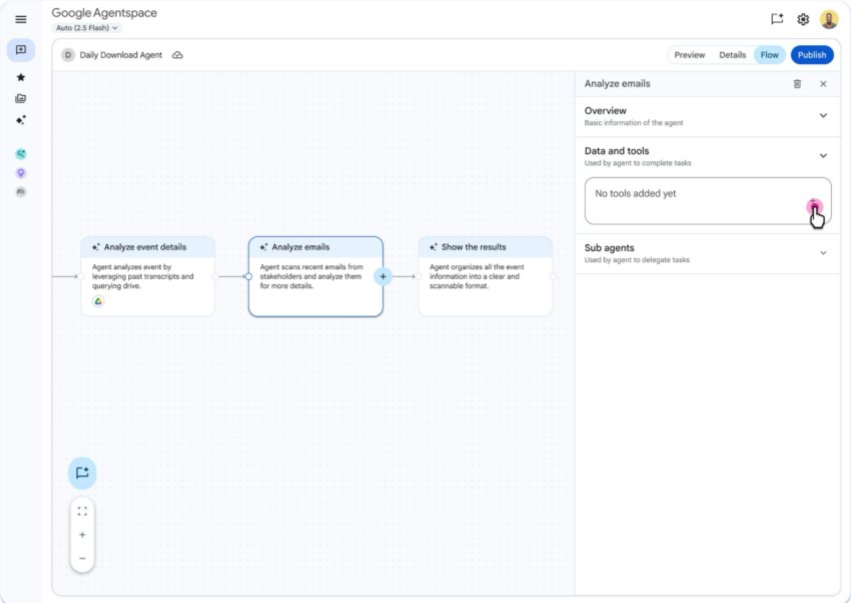
The MCP creation flow is part of a larger vision: in Agentic AI, business users should be able to use the tools created from Apigee API hub - with governance and security automatically inherited, without requiring specialist knowledge. Every API registered in Hub becomes a callable capability for any AI agent in the enterprise.